Horizon
Transform your new tab into a beautiful, productive workspace
Everything you need for a perfect new tab
🖼️
Stunning Wallpapers
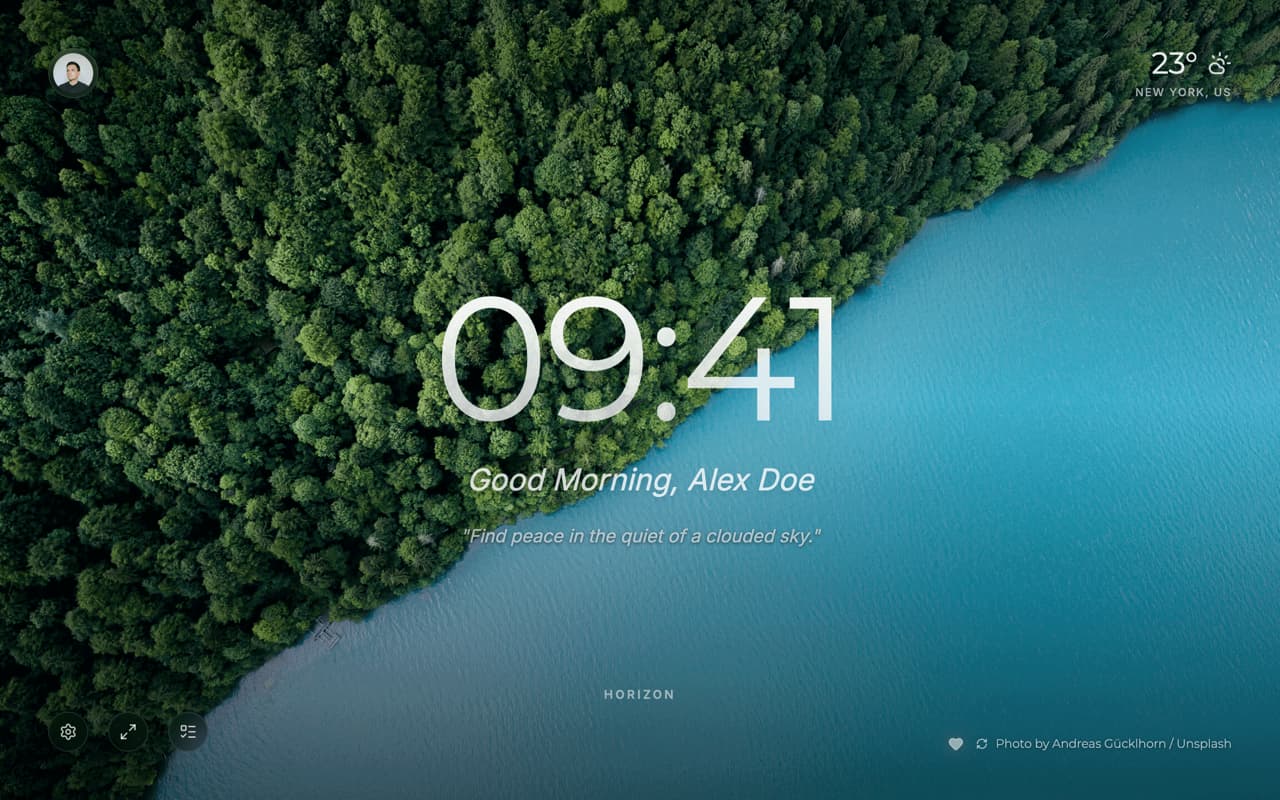
Beautiful, high-quality backgrounds from Unsplash. Switch wallpapers anytime and save your favorites for a personal collection.
🌤️
Real-time Weather
Stay informed with accurate weather data for your location. Automatic location detection or manual city selection.
⏰
Beautiful Clock
Elegant clock with personalized greetings. Choose 12 or 24-hour format. Set a custom nickname for a personal touch.
🔐
Privacy First
Your data stays on your device by default. Optional Google Sign-in for cloud sync across devices. No tracking, no ads.
🎨
Glassmorphism Design
Modern, clean interface with beautiful glass effects and smooth animations. Easy to use and pleasing to the eye.
☁️
Cloud Sync
Sign in with Google to sync your preferences, favorite wallpapers, and settings across all your devices.
✅
Todo List
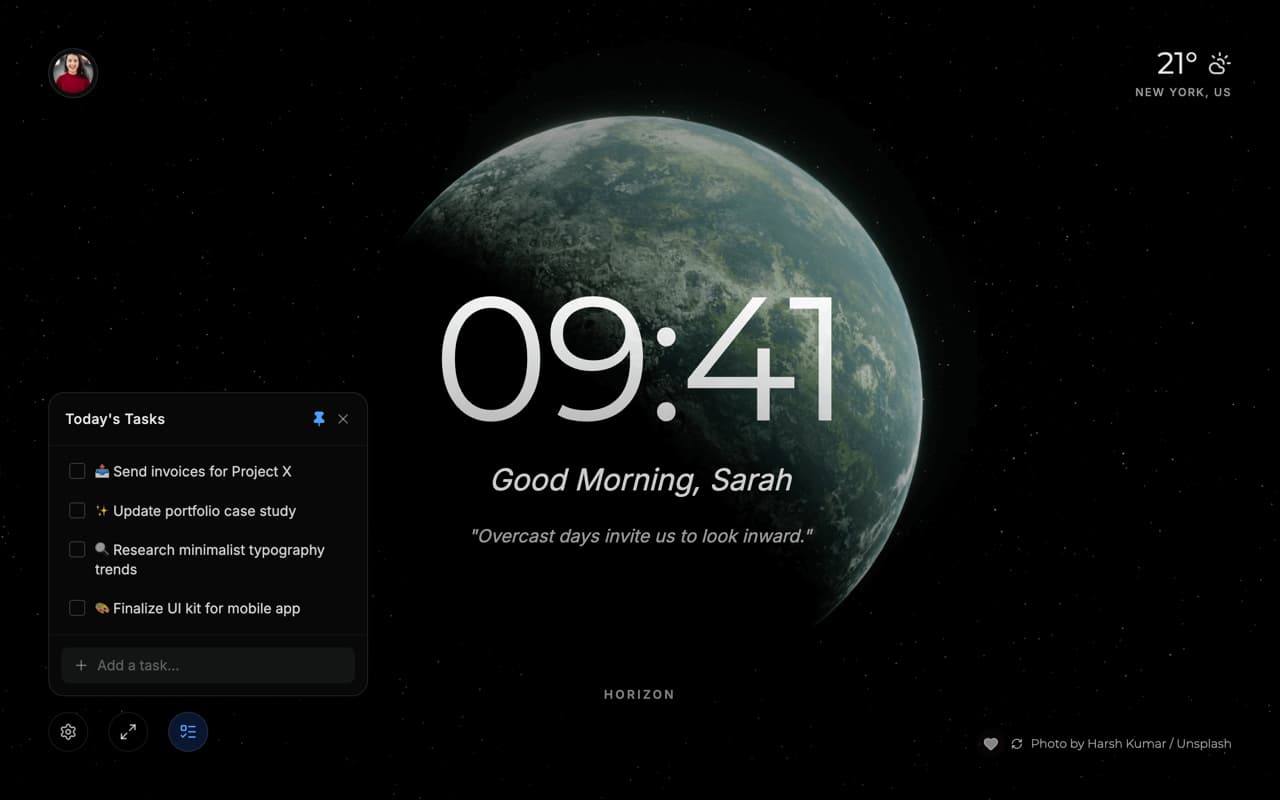
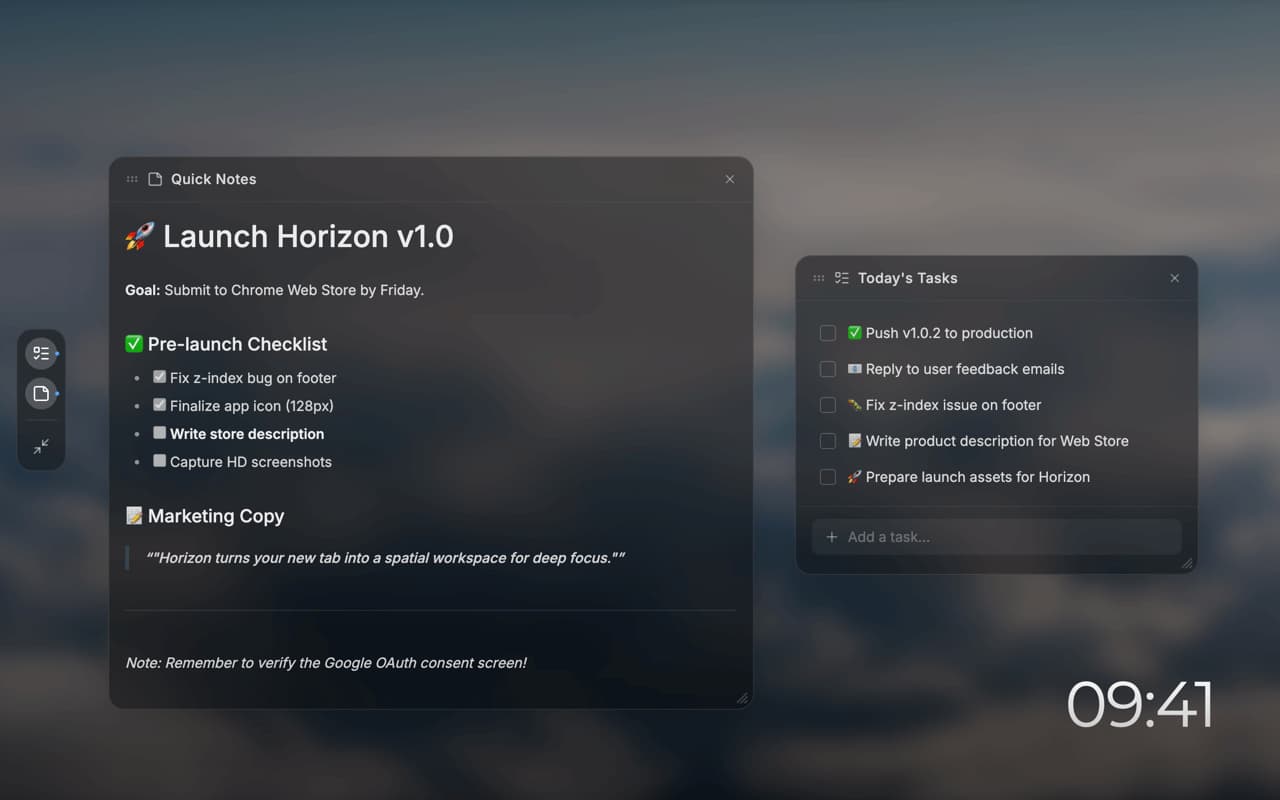
Keep track of your tasks with a simple, elegant todo list. Syncs across devices when signed in.
See it in action
Screenshots coming soon
How to Install
Chrome Web Store (Recommended - Coming Soon)
The extension is currently under review and will be available on the Chrome Web Store soon. This is the easiest and most secure way to install.
Manual Installation (For Now)
You can install the extension manually while we're waiting for Chrome Web Store approval:
- Download the latest release from GitHub Releases
- Extract the zip file to a folder on your computer
- Open Chrome and go to
chrome://extensions/
- Enable "Developer mode" using the toggle in the top right
- Click "Load unpacked" and select the extracted folder
- Open a new tab and enjoy Horizon!
⚡ Note: Once installed, you can use Horizon completely offline. Sign-in is optional and only required for cloud sync across devices.
Features in Detail
🖼️ Dynamic Wallpapers
High-quality photos sourced from Unsplash, featuring stunning landscapes, cityscapes, and more:
- Click the refresh button to discover new wallpapers
- Heart your favorites to build a personal collection (up to 9)
- Your current wallpaper persists across all new tabs
- Credits shown for each photographer
🌤️ Smart Weather
Powered by Open-Meteo API for accurate weather data:
- Current temperature and weather conditions
- Automatic location detection via browser geolocation
- Manual city search with location name display
- Privacy-friendly: no personal data stored on weather servers
⏰ Personalized Clock
- Time-based greetings: Good morning, afternoon, evening, or night
- 12-hour or 24-hour format (toggle in Settings)
- Customizable nickname (double-click to edit when signed in)
- Elegant Montserrat font with smooth animations
✅ Todo List
- Simple, distraction-free task management
- Mark tasks complete with a single click
- Cloud sync when signed in with Google
- Quick access from the bottom toolbar
🔐 Privacy & Security
- Local-first: All data stored on your device by default
- Optional sign-in: Google OAuth for cloud sync
- No tracking: We don't track your browsing or sell data
- Open source: Code available on GitHub for transparency
Read our full Privacy Policy
Built with Modern Technology
Horizon is built with cutting-edge web technologies for the best performance and user experience:
React 18
TypeScript
Vite
Tailwind CSS
Firebase
Chrome Manifest V3
Why Chrome Manifest V3?
We use the latest Chrome extension standards (Manifest V3) for:
- Better security and privacy protections
- Improved performance and reliability
- Future-proof compatibility with Chrome updates
Open Source & Contributing
Horizon is open source and welcomes contributions from the community!
Ways to Contribute
- Report bugs: Found an issue? Open a GitHub issue
- Suggest features: Have an idea? We'd love to hear it
- Submit code: Send us a pull request
- Spread the word: Share Horizon with friends and on social media
Get in Touch
Have questions, feedback, or need support?